
Email Smart Banners
Every inbox has a blind spot: the second before you click.
No security solution catches everything. Smart Banners adds a real-time protection layer — catching what gets through, right when it matters.

Data points analyzed per email, powered by AI
Clicks to deploy, no gateway change needed
Fewer risky clicks at 6 months (average across customers)
security outcomes
Outcomes measured before the incident, not after it.

Fewer clicks that lead to breaches
A clear signal appears the moment a message looks risky, so employees catch impersonation and credential-theft attempts before they click — not after the damage is done.

Faster reporting, faster response
One-click reporting sends flagged emails straight to IT and the SOC, cutting the time between a risky email landing and your team acting on it.

Risk score built on real signals
Every click, report, and mark-safe becomes telemetry for LibraCyber’s unified human risk score — turning what happens in the inbox into intelligence that sharpens defenses across your organization.
Guidance arrives before the mistake, not after it.
Smart Banners meets people at the moment of decision — when they can still recognize the risk and choose how to respond.


Understands context, not just contacts
Smart Banners weighs link reputation and message semantics together to understand risk beyond technical verification alone.

Warnings that earn attention
Smart Banners appears on just 1% of messages, scale with risk, and explain what triggered them — keeping warnings meaningful and actionable.

Layered on top of your gateway
Smart Banners works alongside your existing email gateway, adding a real-time layer for messages that already made it through.

Connects protection with awareness
LibraCyber’s Email Security blocks threats before they land. Its awareness training builds lasting resilience. Smart Banners connects the two with contextual guidance in the inbox, at the moment of risk.
AI Engine
Not just a warning. A reason.
AI does the analysis; the banner does the explaining — so employees don’t have to trust a black box, just read the reason.
Not just a warning. A reason.
Every alert states its reason
AI checks over 50 signals per email — domain age, sender behavior, and message frequency among them — then attaches the specific reason to the banner an employee sees, so a flagged email becomes an instant awareness moment instead of just a red light.

The parts of the inbox your gateway can’t see.
From detection to reporting, Smart Banners turns every inbound email into a real-time coaching moment.
Alerts that explain themselves
A color-coded banner draws attention the moment it matters, without breaking anyone’s workflow, and states exactly what triggered it — so employees know whether to proceed, pause, or report.

One-click reporting, or mark safe
Employees report a suspicious email or mark a safe one in a single click — giving admins an instant verdict and keeping future alerts tuned to what’s actually normal.
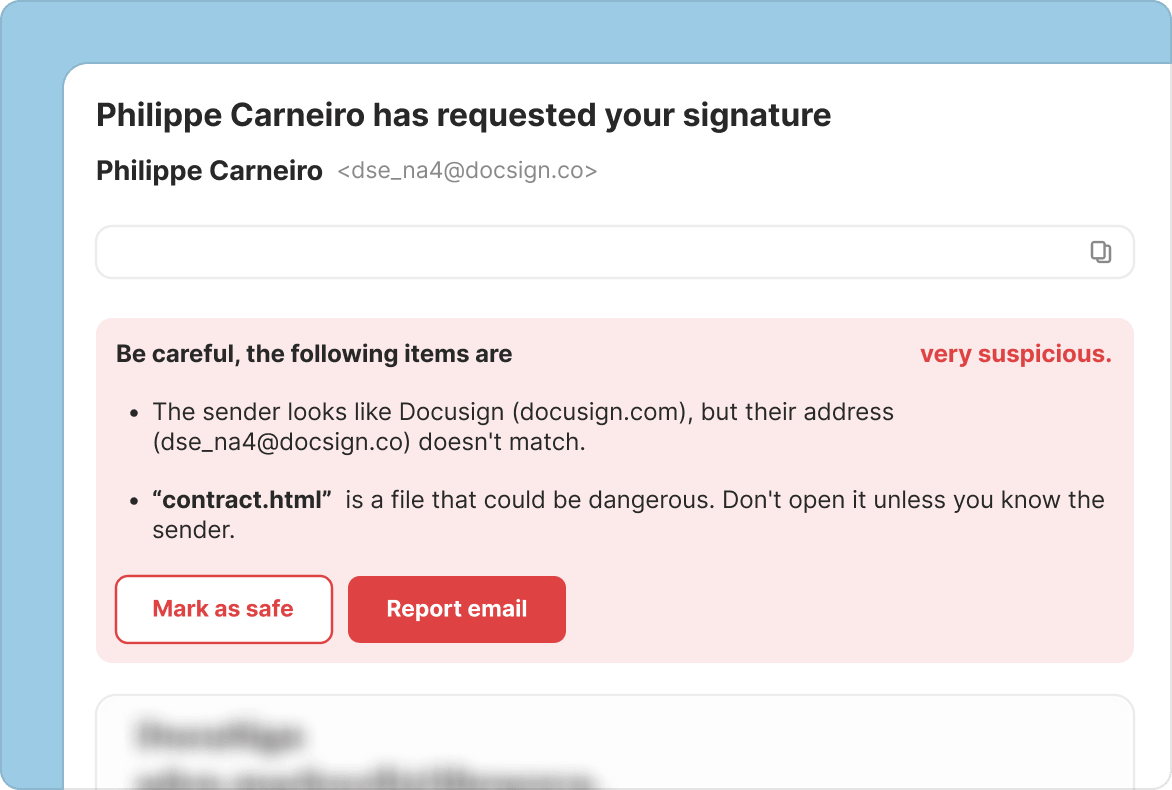
Everywhere employees check email
Runs on desktop, mobile, and tablet, in both Outlook and Gmail — with multilingual support for global teams.
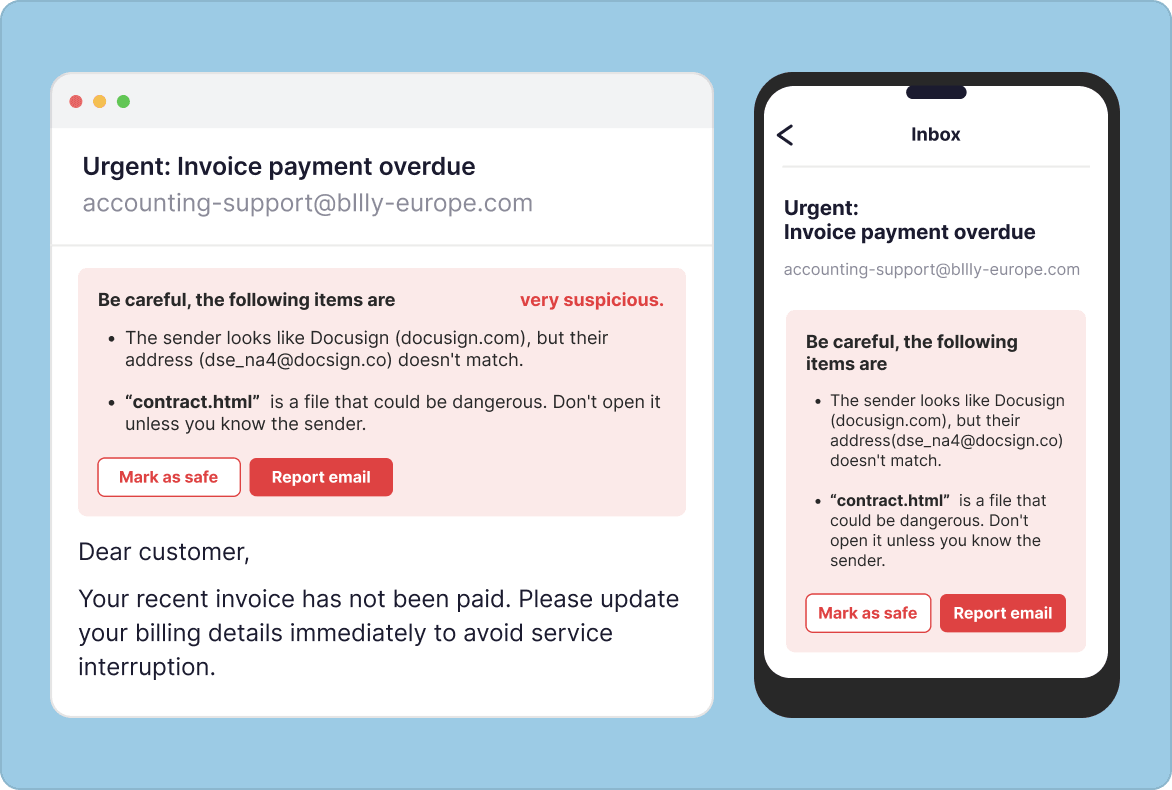
No install, no gateway change
Connects to Microsoft 365 or Google Workspace in two clicks, with no gateway change and nothing to install on employee devices.
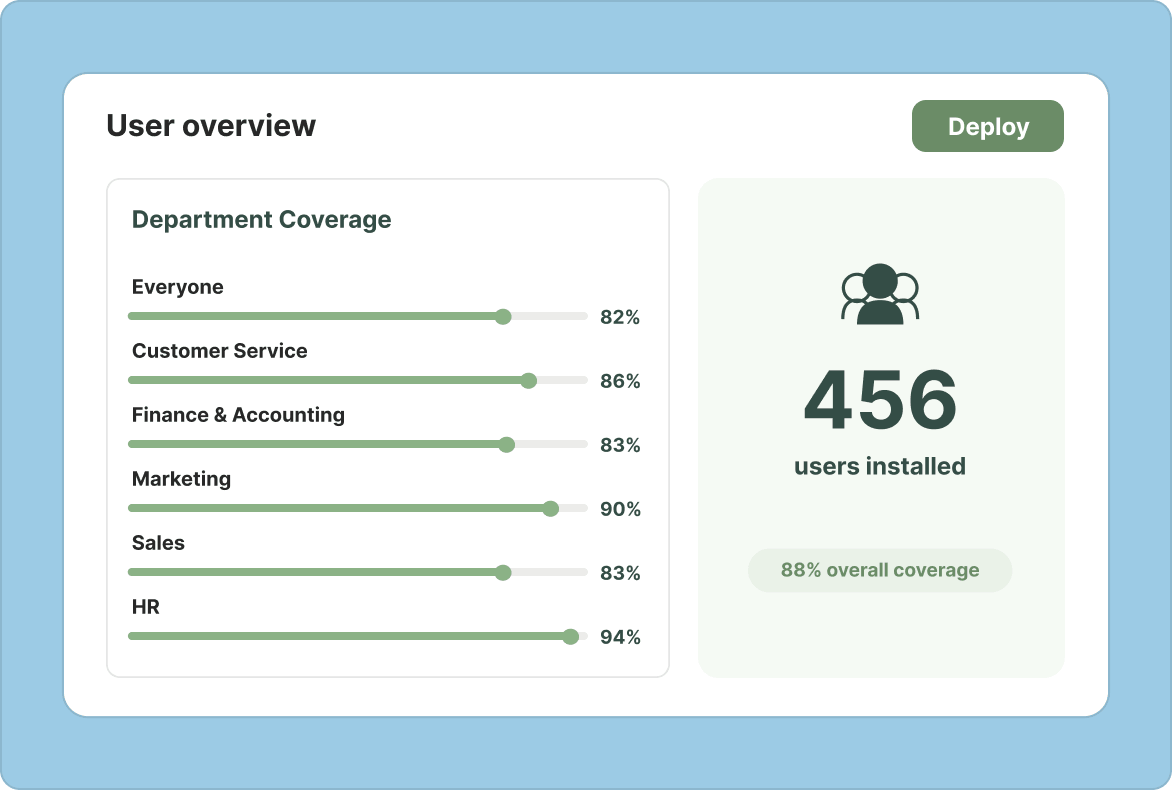
Dashboards built on real signals
Every flag, report, and mark-safe rolls up into dashboards that show trends over time — the same data that together with training telemetry feeds LibraCyber’s unified risk score.
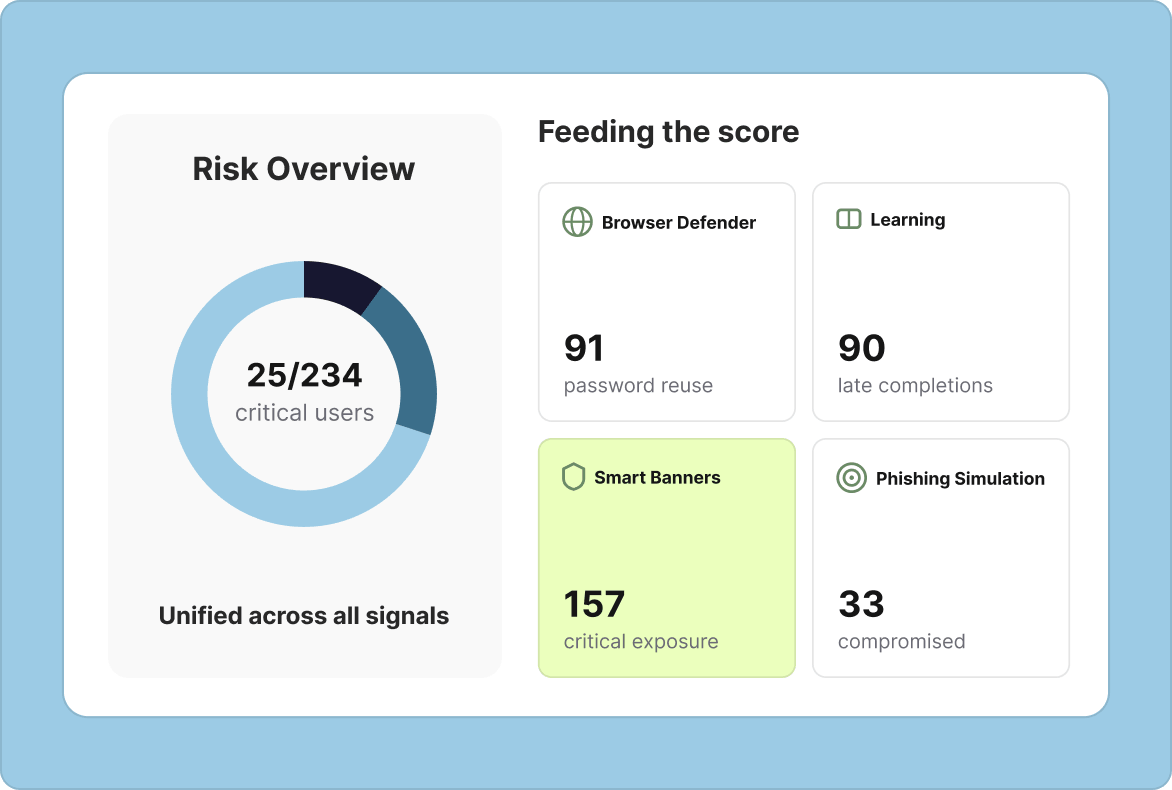
The moment before the click, covered.
Every day without it is another day of guessing. See what Smart Banners would catch in your inbox.
What is Smart Banners, and when does it protect employees?
Smart Banners adds a real-time layer of contextual warnings on messages that have already passed existing security measures — an email security gateway or another filtering system — appearing before an employee acts on a risky message. That action could be clicking a link, replying with sensitive information, or downloading an attachment, so protection applies at the moment of any risky decision, not just a click.
Does Smart Banners only work with LibraCyber Email Security, or with any email security solution?
No — Smart Banners works alongside any existing email security gateway or filtering solution, not only LibraCyber Email Security. It adds a real-time layer of contextual, in-message warnings on top of whatever email security is already in place, catching risky messages that get through regardless of which vendor a customer uses for inbound protection.
How does Smart Banners catch threats that already passed email security filters?
Smart Banners reads what a message actually says and does, not just where it claims to come from. A compromised sender can pass SPF and DKIM authentication checks and still carry a corrupted or malicious link, so Smart Banners analyzes message content and context directly rather than relying only on sender-identity checks.
How does Smart Banners’ AI decide what’s actually risky?
Smart Banners’ AI checks every email against 50+ signals — including domain age, sender behavior, and message frequency — then attaches the specific reason to the banner an employee sees. Rather than a generic ‘risky’ warning, the banner explains exactly what triggered the alert, so employees understand and trust it.
Do Smart Banners warnings scale with how risky a message actually is?
Yes. Smart Banners’ color-coded banner scales with confidence — a likely phishing attempt triggers a clear, urgent signal, while a minor anomaly gets a lighter heads-up. This keeps alerts meaningful instead of routine, since employees see a real difference between something worth caution and a small inconsistency.
What percentage of messages actually trigger a Smart Banners warning?
Alerts typically appear on just 1–3% of messages, so warnings stay uncommon rather than routine. Because they’re rare, employees are more likely to notice and take a Smart Banners warning seriously when one does appear, instead of tuning it out.
How quickly can Smart Banners be deployed across our organization?
Smart Banners rolls out across Microsoft 365, and Google Workspace in just two clicks, with the same guidance appearing consistently on desktop, mobile, and tablet. This fast, simple rollout means organizations see impact almost immediately, without a lengthy implementation project standing between purchase and real protection.
How does Smart Banners connect to LibraCyber’s broader human risk view?
Every click, report, and mark-safe action inside Smart Banners becomes telemetry feeding LibraCyber’s unified risk score, turning everyday inbox behavior into intelligence that sharpens defenses across the organization
How does Smart Banners relate to formal security awareness training?
Smart Banners fills the real-time gap between Email Security, which blocks inbound threats, and formal awareness training, which builds long-term recognition skills. It delivers contextual guidance right inside the inbox, at the moment an employee is about to act on a message — reinforcing what training teaches, precisely when a real decision is being made.