
Phishing Simulation
Phishing is getting personal. Training should be too.
Phishing simulations that adapt to real behavior, closing the human risk gap attackers exploit.

Phishing simulations carried out
Customizable templates
Reduction in click-rate
Proof, not just promises.



Human Risk Outcomes
Fewer incidents. No blind spots. No added workload.

Employees get harder to phish
Simulations build resistance over time, making employees less likely to fall for real attacks — and when something does slip through, their reports help admins close gaps faster.

No more guessing where risk sits
Security leaders get a single score that shows exactly where risk sits and where remediation will have the greatest impact, built by combining simulation results with real-world signals.

Security teams stay hands-off
Campaign selection, scheduling, and reporting run automatically, so simulations keep going without adding to your team’s workload.
A personal trainer, built for everyone.
Behind every simulation is a personal-trainer model that adjusts based on how people actually respond — not a one-size campaign sent to everybody at once.

Difficulty rises as resistance does
Simulations start at a manageable level and grow more challenging as resistance improves, drawing from thousands of templates to keep training feeling real, not a single pass-or-fail test.

Real attacks, not easy drills
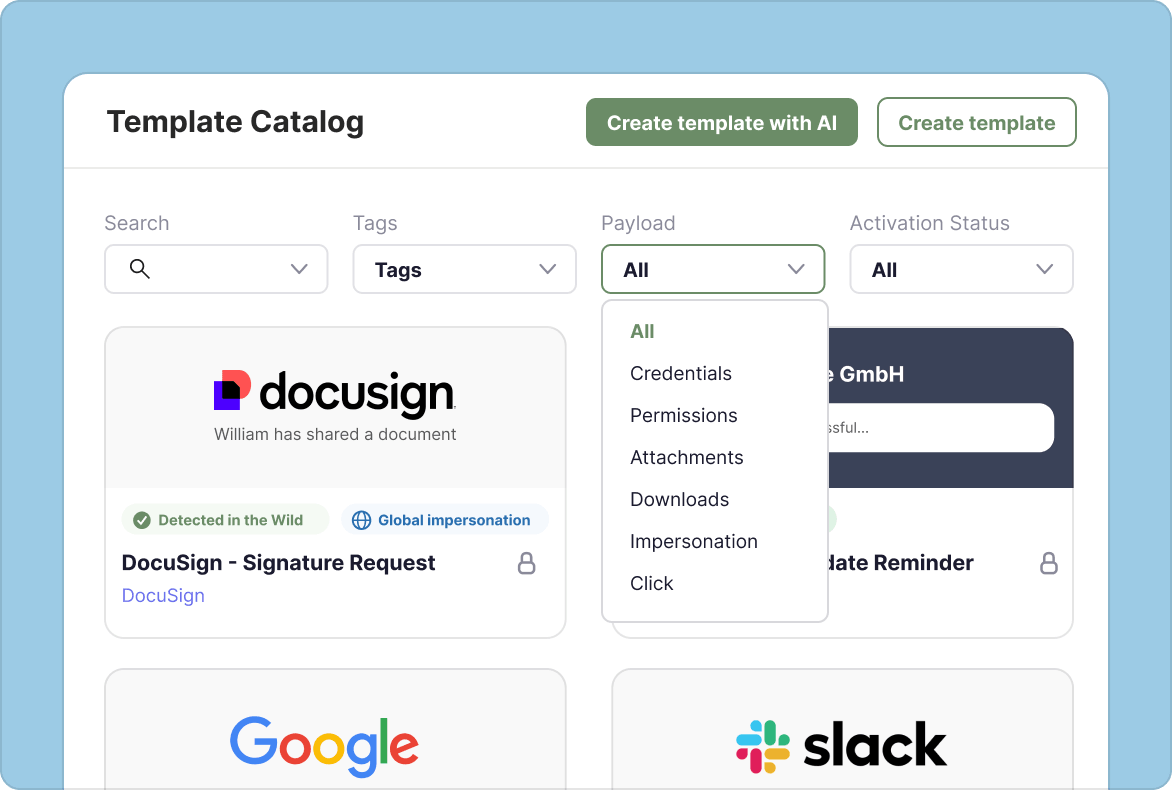
Simulations mirror real attacker tactics — built from campaigns Email Security detects in the wild, including brands being actively impersonated — so training reflects live threats, not generic scenarios.

A lesson, right on the spot
The moment someone falls for the lure, they see exactly what gave the attack away — while the mistake is still fresh, not in a lesson days later.

Practice is where it becomes instinct
e-volve is LibraCyber’s behavior-change methodology. Phishing Simulation builds its practice layer, continuing through knowledge (Cyber Awareness, Cyber Chat), perception (Cyber Series), and real-time protection (Smart Banners, Browser Defender).
AI Engine
Getting better only makes the test harder.
Templates, difficulty, and timing adjust automatically — not just improving each simulation, but running the whole program without adding work for IT or security teams.
Adaptive simulation engine
Decides what runs and when.
AI chooses each campaign’s difficulty, template, delivery channel, and timing on its own. It automatically raises the challenge as resistance improves, and favors whichever templates prove hardest for your employees to actually spot — so no one keeps facing attacks they’ve already learned to catch.

AI-generated templates
Generated from a prompt or file
Admins turn a prompt — and optionally a real email — into a new phishing simulation template, without building one from scratch or waiting on the pre-built library.

The parts of the program you’ll never have to build.
From campaign delivery to advanced attack types and reporting, here’s what Phishing Simulation covers.
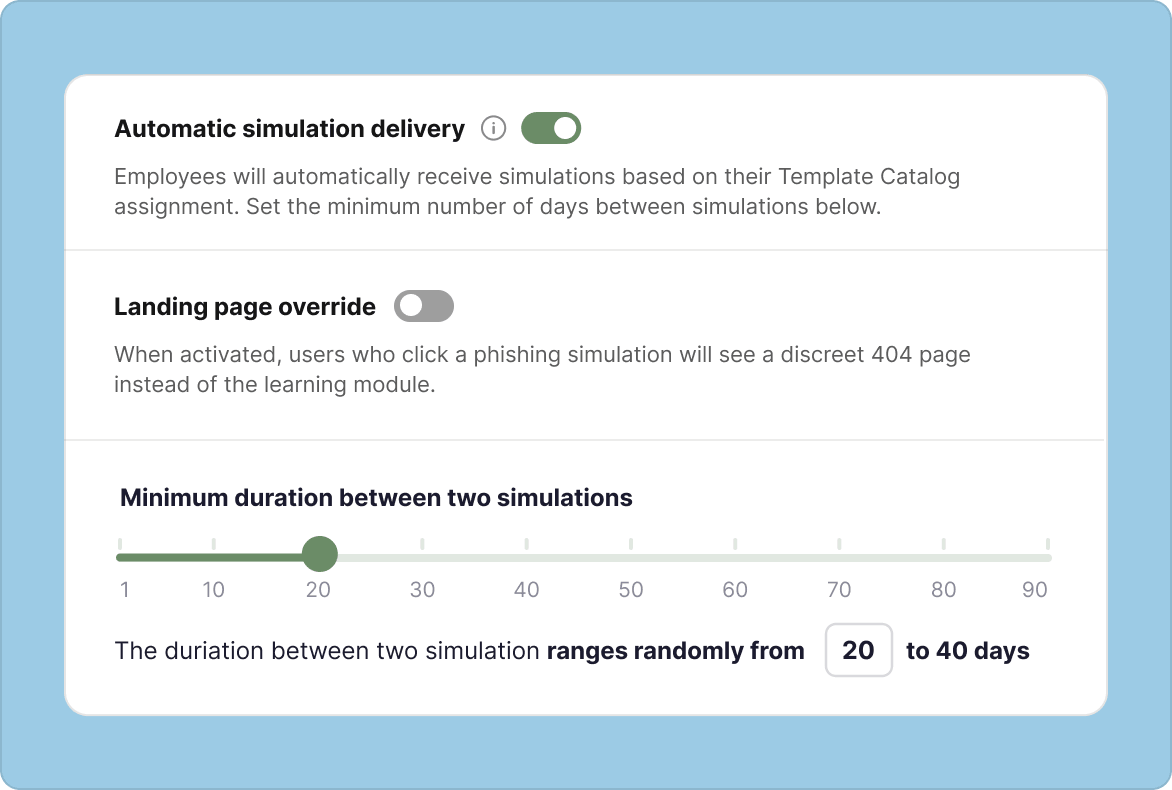
Automated campaign workflow
New campaigns move through template selection, an optional approval step, sending, and click-rate ranking automatically, so a fresh campaign can launch without anyone building it from scratch
Every channel attackers use
Simulations run across email and SMS — covering spear phishing, ClickFix, malware payload attempts, video and deepfake impersonation, and QR code (quishing) attacks — so training covers how attackers actually reach people.
Templates that fit your context
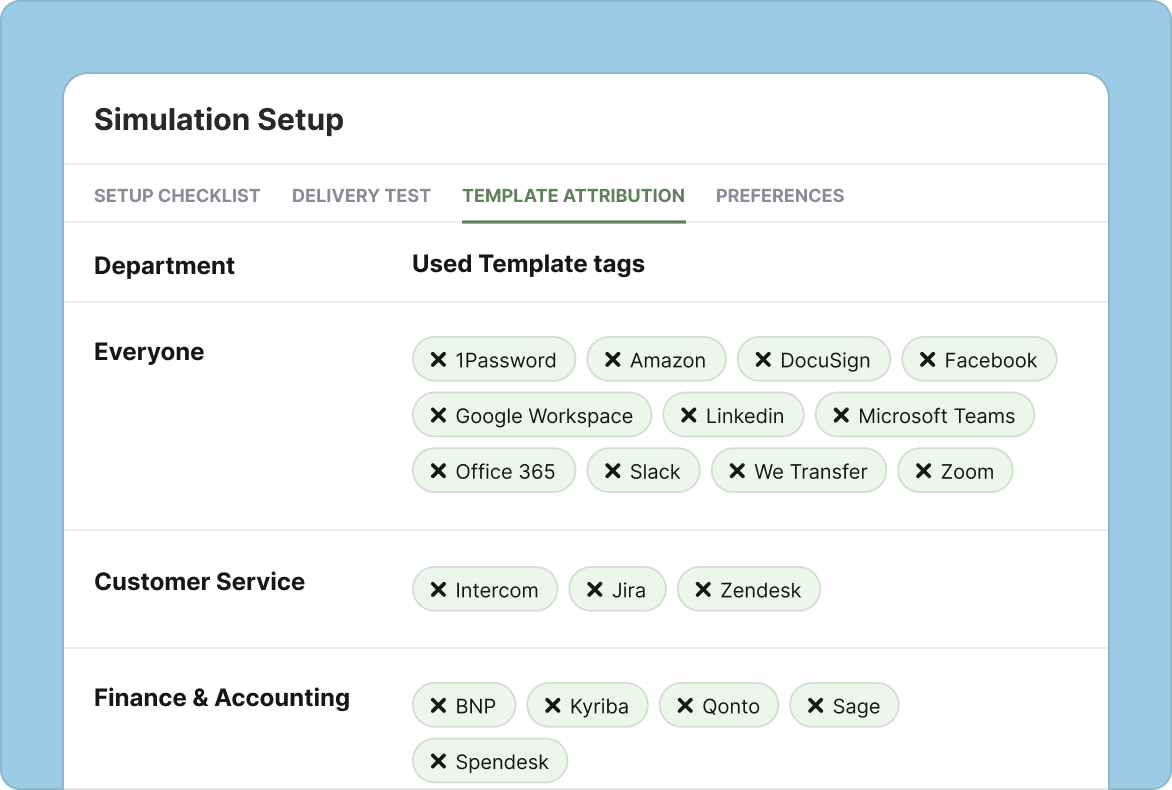
Templates are tailored to your tech stack, partners, key personnel, and informed by real-world campaigns detected by Email Security, so simulations feel authentic, not generic.
Native phishing reporting
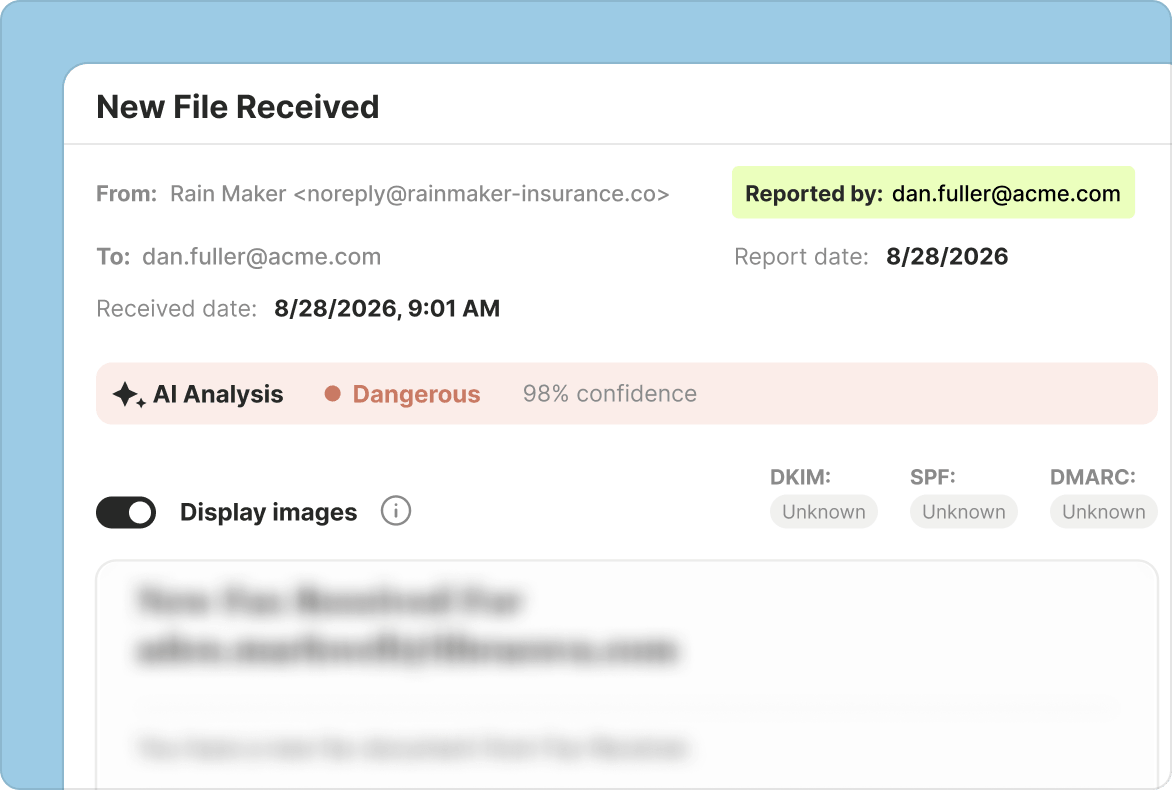
Employees report suspicious emails using the Report Phishing button in Outlook or Gmail, giving admins a steady stream of signals they can triage and use to sharpen defenses.
Complete risk visibility and remediation
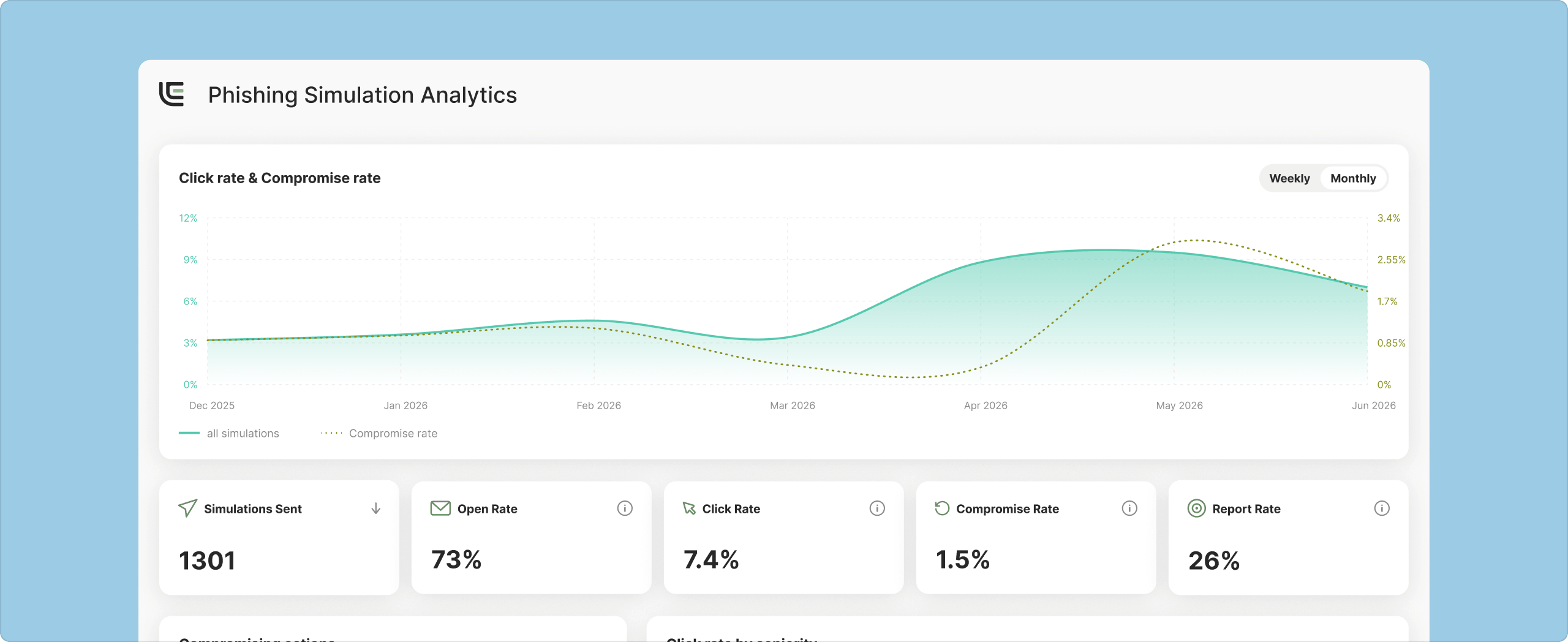
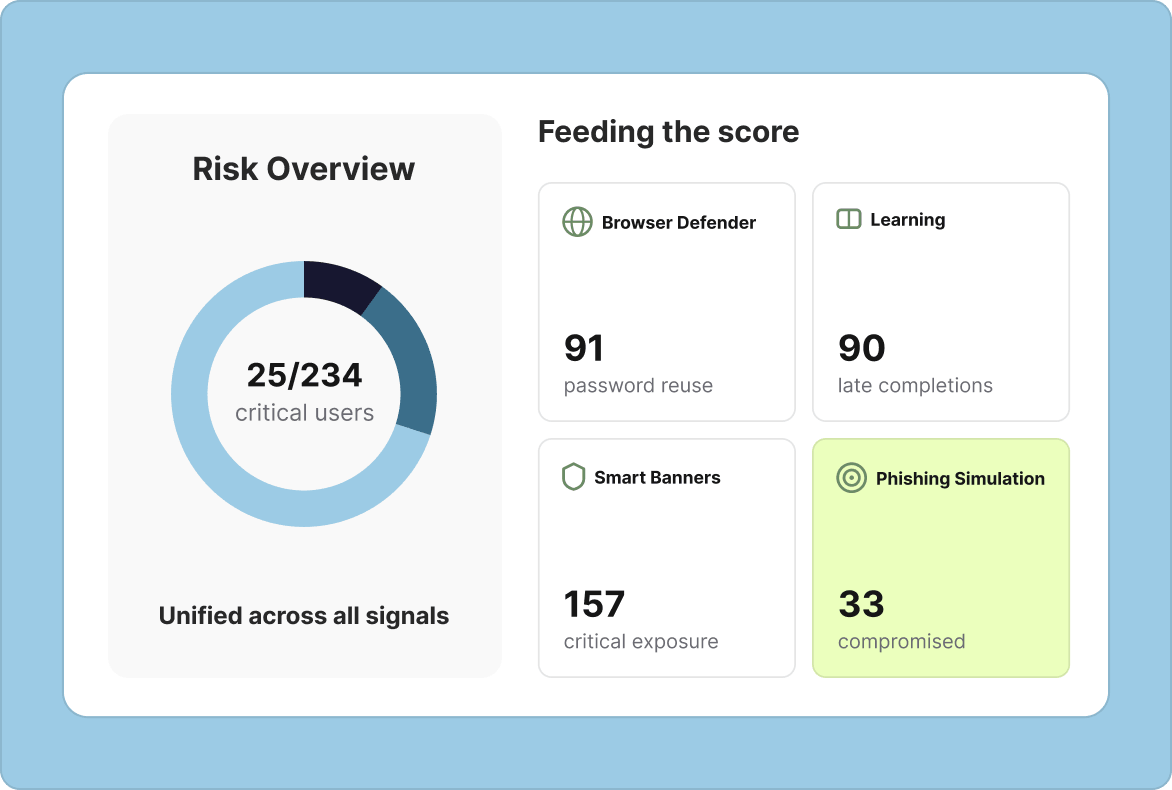
Dashboards track click-rate and feed the unified risk score — so admins can assign tailored remediation to anyone flagged as vulnerable, including those who click past a live Smart Banners warning.
Turn real attacks into training your team will remember.
See how Phishing Simulation adapts to real behavior and keeps your program running without adding work for your team.
What is Phishing Simulation, and how does it fit with LibraCyber’s other training products?
Phishing Simulation tests, through realistic simulated attacks, what Cyber Awareness, Cyber Chat, and Cyber Series teach — turning lessons into real behavior under pressure. It’s the experiential, hands-on layer of LibraCyber’s training approach, complementing knowledge-building and story-based perception training with practice against real attack tactics.
What kinds of phishing attacks can Phishing Simulation test employees against?
Phishing Simulation runs simulated attacks across email and SMS, covering scenarios like spear phishing, ClickFix, and malware payload attempts. It also includes realistic video/deepfake impersonation, plus QR code (‘quishing’) simulations, so training covers attack channels moving beyond a traditional email link.
Are Phishing Simulation templates based on real attack intelligence?
Yes. Templates are threat-informed, drawing on active brand-impersonation attempts and attack patterns identified through LibraCyber Email Security’s threat intelligence. For organizations running both products, these insights are specific to their own environment, so simulations reflect the attacks targeting that business.
How does the training adjust based on how employees perform?
An adaptive AI engine automatically selects each campaign’s difficulty, template, and timing based on real results, raising the bar as employee resistance improves and favoring the templates with the strongest real click-rate performance in your organization. Testing keeps getting more challenging rather than repeating a fixed campaign.
What happens after an employee clicks a simulated phishing link?
Clicking redirects immediately to a landing page that shows exactly what gave the attack away, turning the click into an instant teachable moment while the mistake is still fresh. Additionally, tailored remediations can be assigned to anyone flagged as vulnerable.
Can employees report suspicious emails directly from their inbox?
Yes. Employees can report simulated or real phishing emails directly from Outlook or Gmail using the Report Phishing button. Their reports become another security signal for the organization, while reporting behavior is tracked alongside other user-risk indicators and contributes to each employee’s broader risk score.
How much manual setup does running an ongoing phishing simulation program require?
Little. New campaigns move through template selection, an optional approval step, sending, and click-rate ranking automatically, so a fresh campaign can launch without anyone building it from scratch each time. Combined with the adaptive AI engine choosing templates and timing, this reduces ongoing administrative burden.
Does Phishing Simulation reduce click rates over time?
Yes. Organizations running Phishing Simulation have seen a 50% reduction in click rates along with an increase in real phishing reports, showing that realistic, adaptive practice, coupled with engaging learning, measurably changes how employees respond to actual attacks, not just simulated ones.
How do Phishing Simulation results feed into a broader view of security risk?
Dashboards break down click-rate by department and campaign and track risk evolution over time, feeding directly into LibraCyber’s unified risk score. This combines simulation performance with other real-world signals, giving security leaders one consolidated view of where human risk is concentrated.