
Browser Defender
Your workday lives in the browser. So does the risk.
Browser Defender blocks threats, governs risky extensions and SaaS, and stops data leaks, without breaking your team’s workflow.

security outcomes
What changes in your browser on day one

Stop credential theft, skip the fix
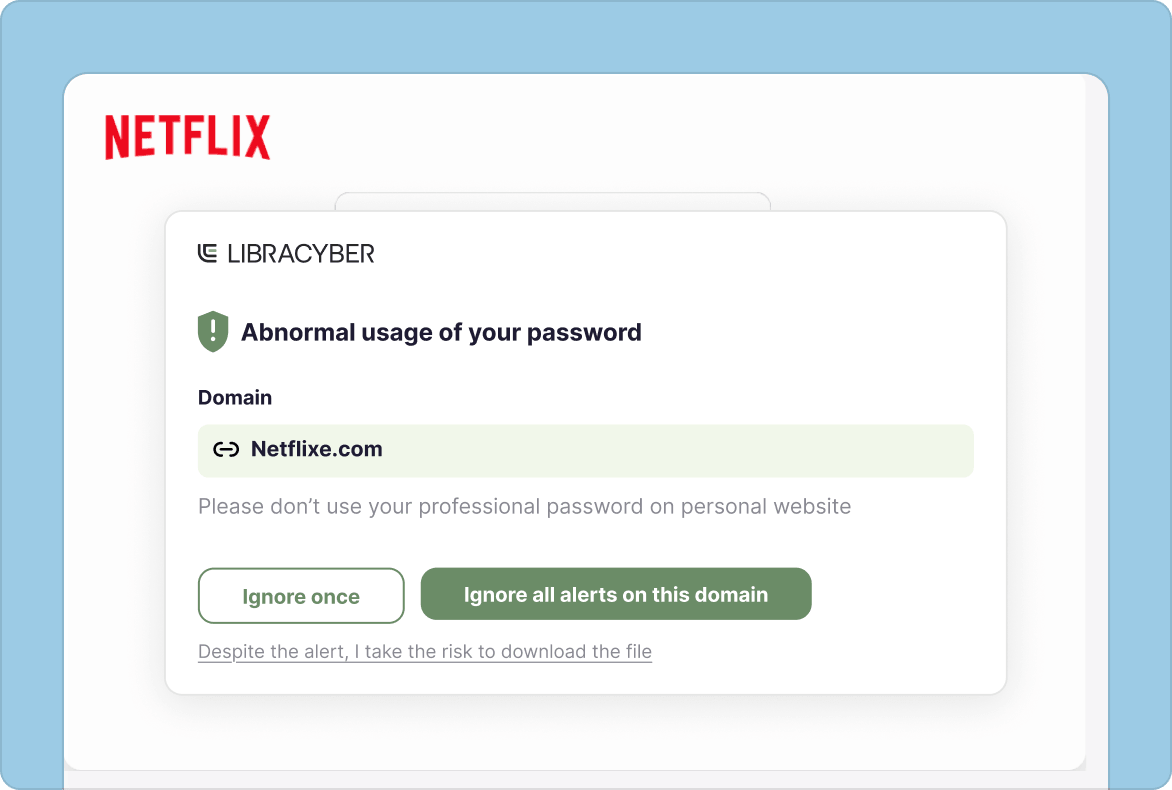
Browser Defender blocks dangerous login pages before a password is entered, stops ClickFix attacks, and flags reused corporate credentials on unapproved sites.

Block malware before it lands
Browser Defender blocks risky downloads, stopping malware and infostealers before a click becomes an infection.

Govern shadow SaaS and AI risk
Extensions get blocked if risky or off-policy, while paste attempts in approved GenAI tools trigger a real-time alert—a teachable moment to enhance awareness.
Security and governance, exactly where the click happens
Browser risks get the same treatment: checked inside the session, in the moment, governed by default.

Stopped in the act
A password typed, a file downloaded, an extension installed — Browser Defender checks right then, before the action finishes, not afterward during cleanup.

Reads the page, not the address
Browser Defender analyzes what’s actually on the page with AI, cross-checked against known threat intelligence — so it catches brand-new phishing sites, not just ones already on a blocklist.

In-session governance, your rules
A phishing link, an unapproved SaaS tool, a risky extension — each gets a policy response: warn or block, set by your team, not left to chance.

Complete alone. Sharper together.
Browser Defender blocks threats on its own. Paired with LibraCyber’s Email Security and Awareness Training its signals feed the unified risk score, sharpening every layer.
AI Engine
The AI call is instant. The response is yours.
Browser Defender’s AI evaluates each page as an employee lands on it, then either warns or blocks based on the policy your team sets.
Warn or block — your call.
Browser Defender’s AI, backed by threat intelligence, catches phishing attempts with no history yet. It then warns or blocks per your policy, no matter the employee’s awareness level.

The blind spots your current browser leaves open
These capabilities close browser blind spots and pair naturally with Smart Banners for inbox-level protection.
Protection built into the browser
Browser Defender is an add-on for Chrome, Firefox, Edge, and other Chromium-based browsers. It enhances the browser your team already uses, with no separate gateway to deploy or manage.
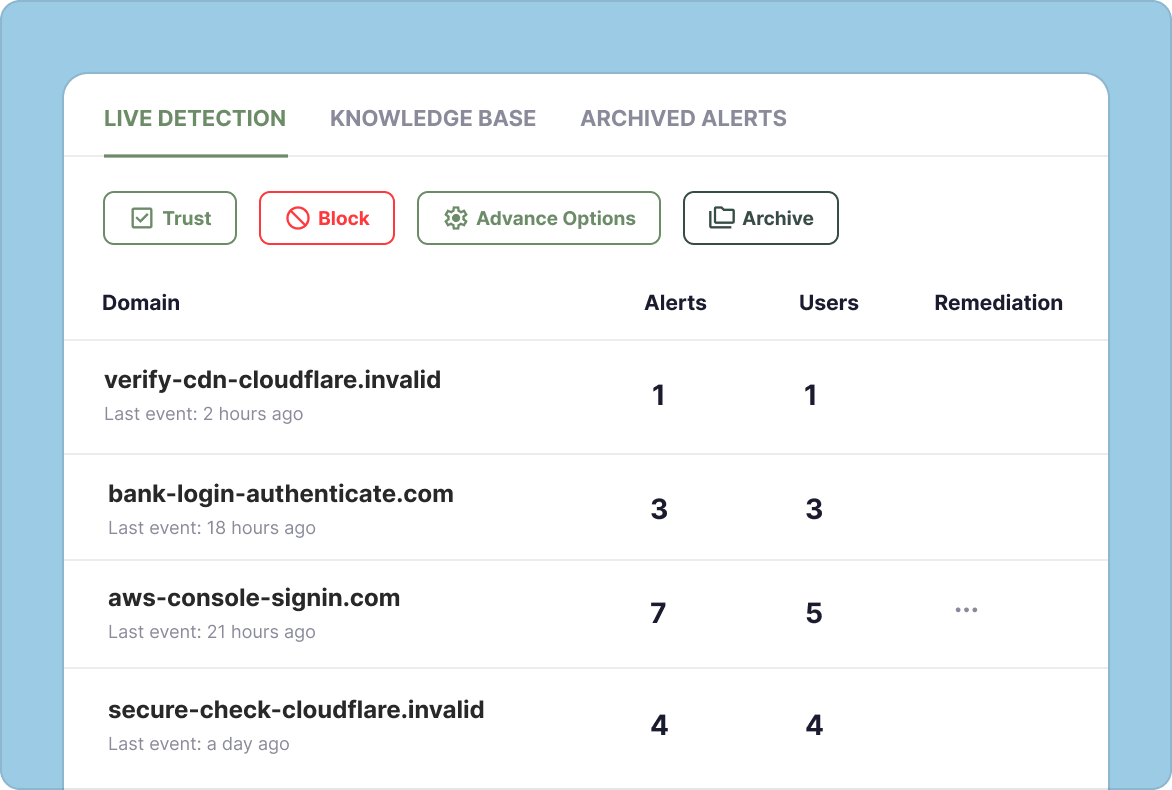
Phishing and Credential Reuse Protection
Blocks phishing pages and ClickFix attacks before credentials or commands are entered, and flags reused corporate credentials — turning a hidden exposure into a fixable one.
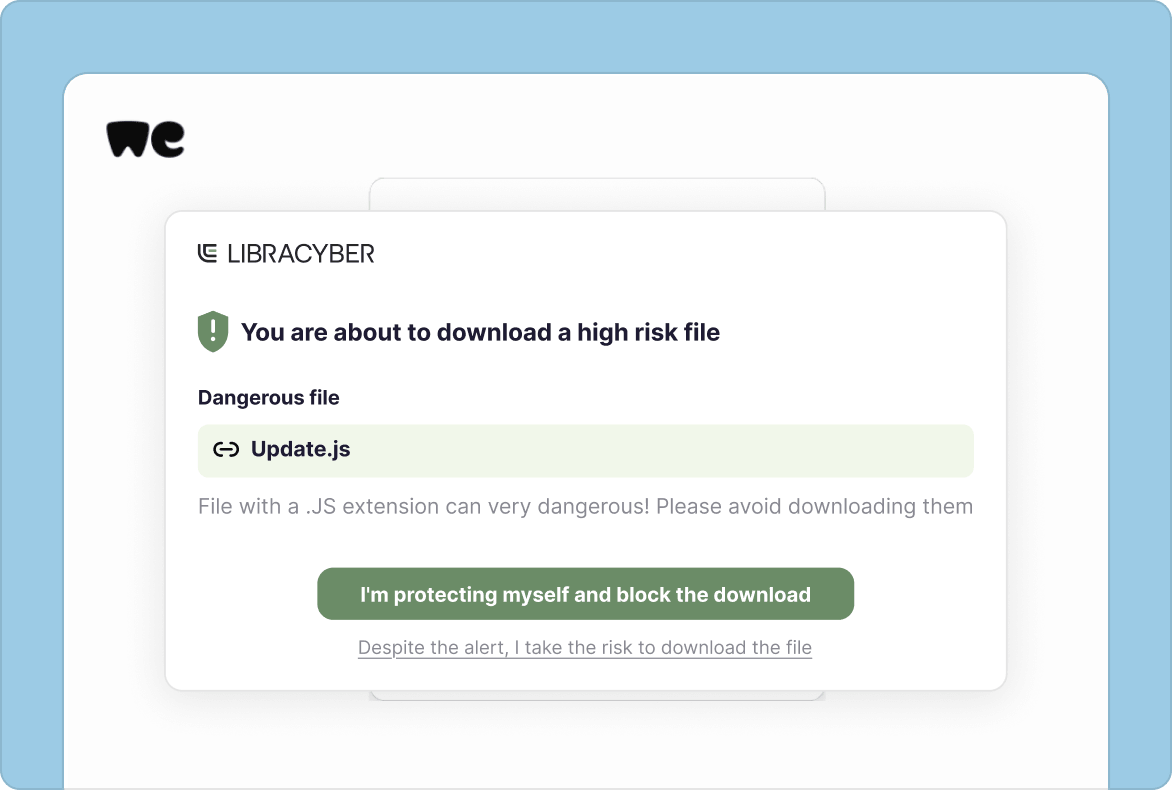
Malware Download Protection
Browser Defender blocks downloads by file type, source, or size before they reach the device, stopping malware before it spreads. Policies can be tailored by department, protecting differently exposed teams.
Browser Extension Governance
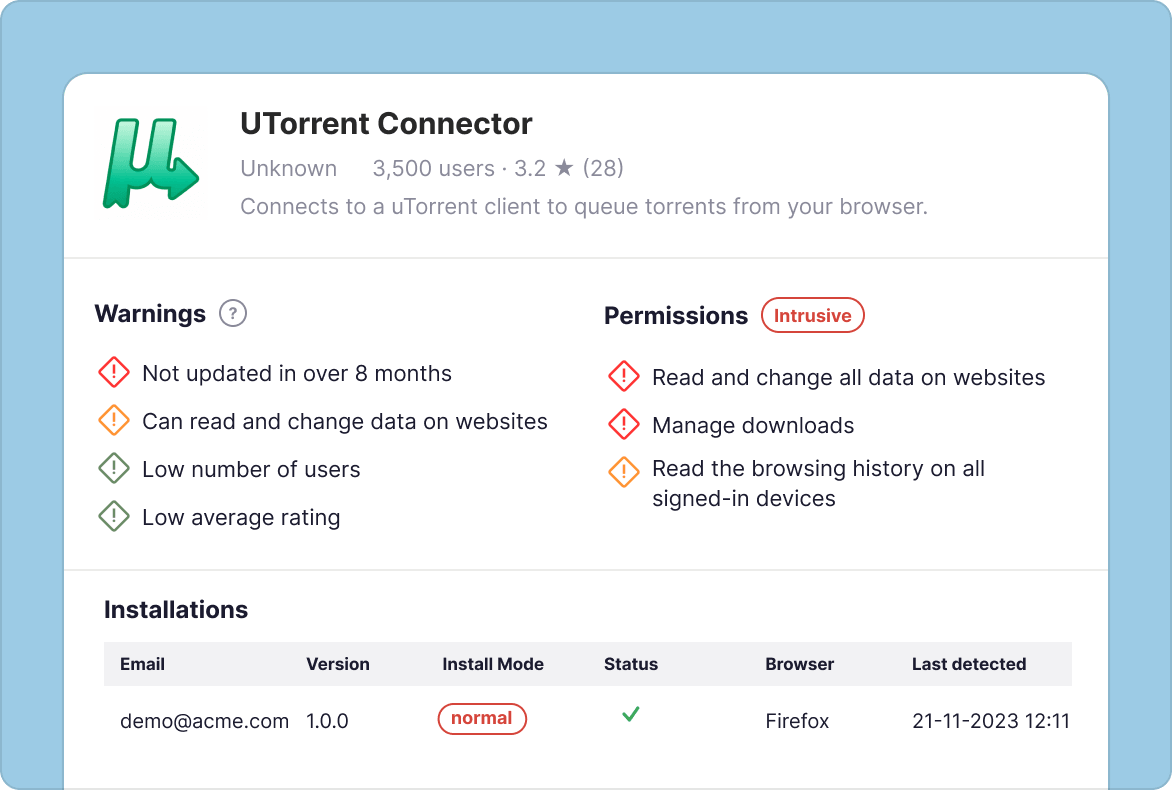
Scores every installed extension on reputation, permissions, and maintenance, then lets admins block risky ones before or after installation, closing a blind spot most IT teams can’t see.
Data Loss Prevention for GenAI
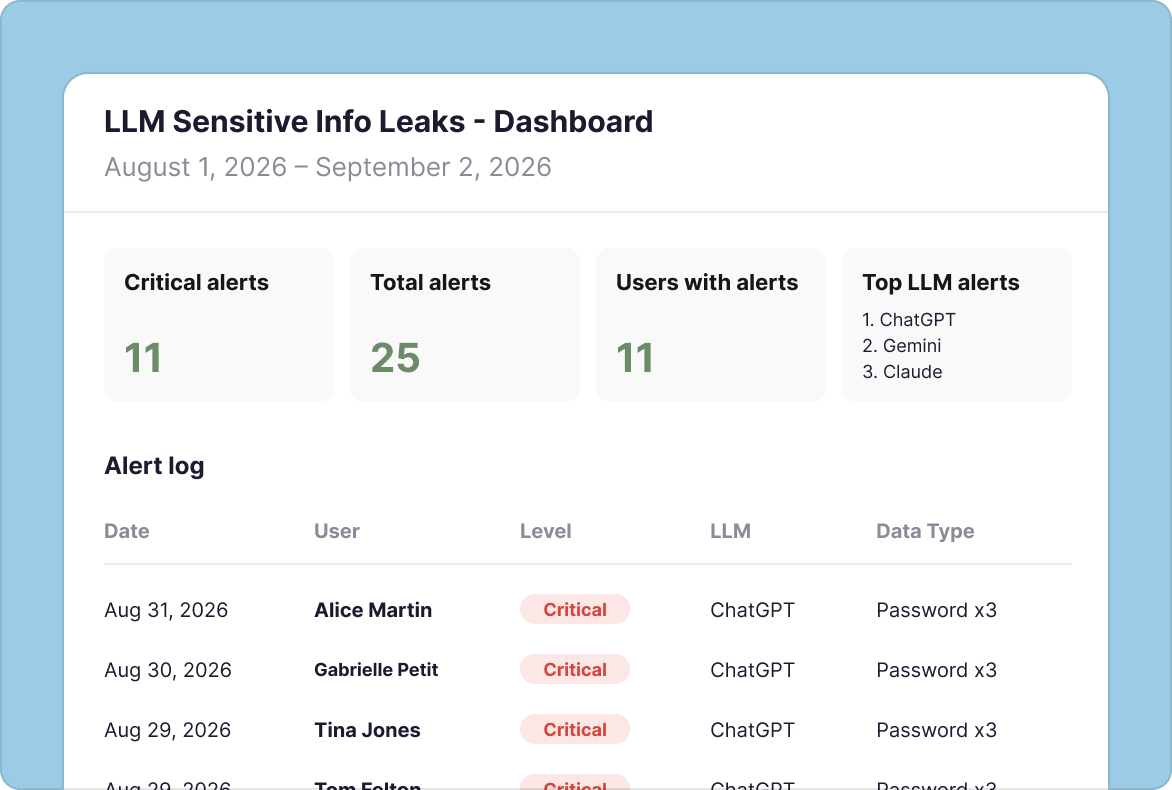
Flags sensitive data—like IBANs, API keys, or personal identifiers—within milliseconds of being pasted into tools like ChatGPT, using local pattern-matching that never sends the content itself off-device.
Centralized Deployment and Risk Intelligence
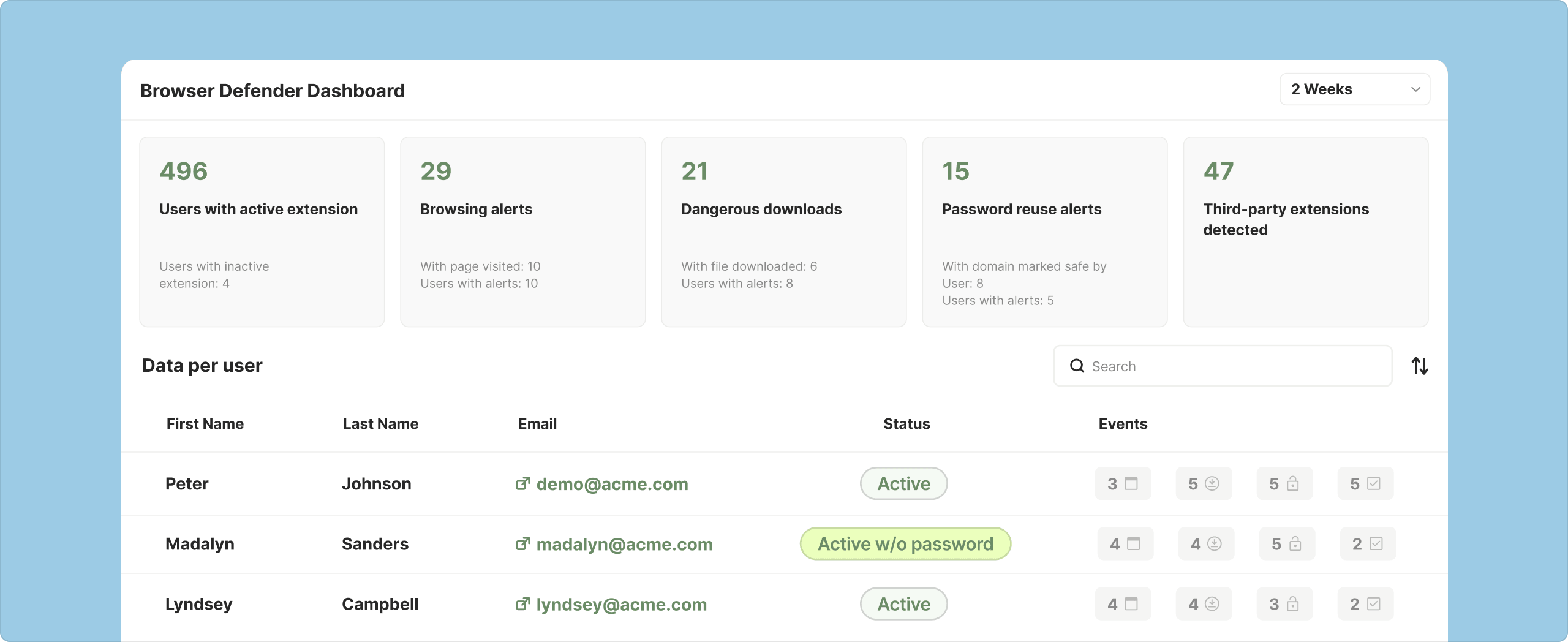
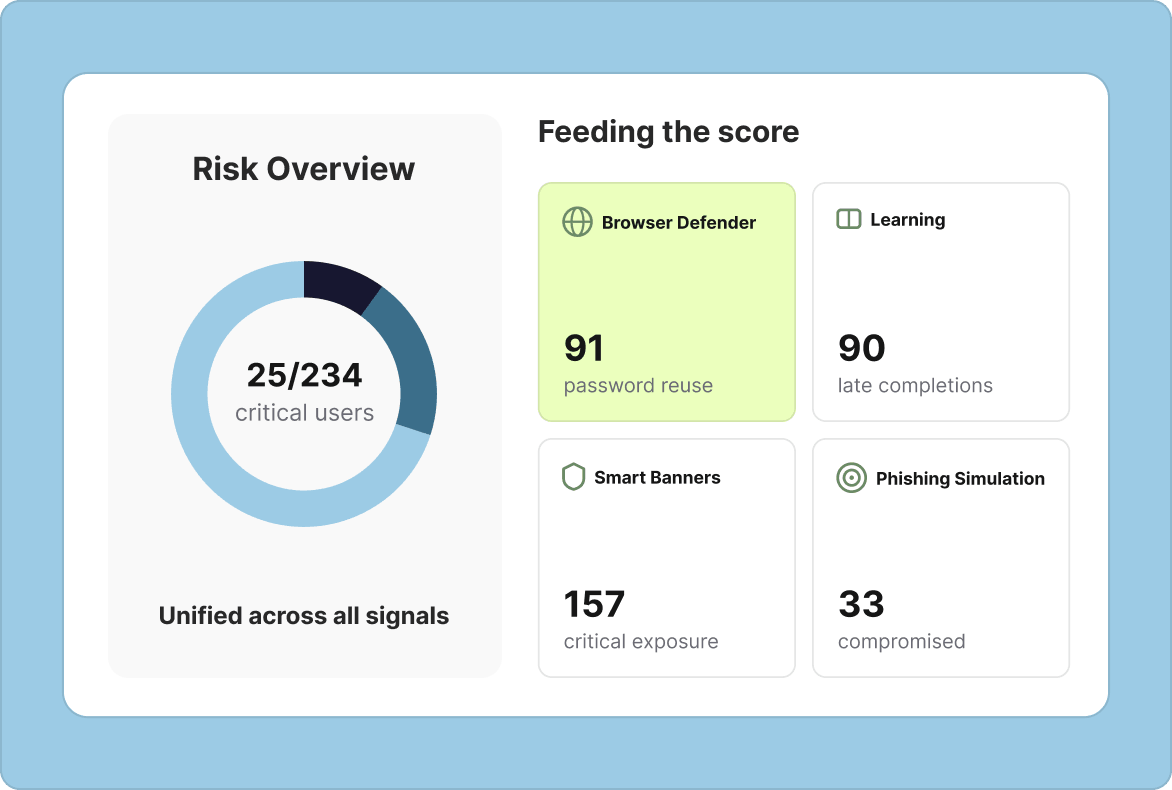
Deploys via Intune, GPO, or browser stores. Dashboards combine real-world behavioral telemetry with awareness training data into one risk score, so teams can focus efforts where needed the most.
See it in action: threats blocked, extensions governed.
Learn how Browser Defender reacts in real time to a phishing attempt, a risky download, and an extension install.
What is Browser Defender, and how is it different from Smart Banners?
Browser Defender extends real-time protection into the browser itself, combining AI-powered threat protection with policy enforcement — blocking risky actions rather than just flagging them. Where Smart Banners adds behavioral guidance inside the inbox, Browser Defender governs what happens inside the browser session, across every site an employee uses.
What browser-based threats does Browser Defender protect against?
Browser Defender protects against phishing and ClickFix-style attacks, credential reuse across sites, and malware downloads, all inside the browser session itself. It also governs browser extensions — a common source of shadow SaaS and AI risk — by scoring each installed extension on reputation, permissions, and maintenance, letting admins block risky ones before or after installation.
How does Browser Defender address the risk of sensitive data being pasted into AI tools?
Browser Defender flags sensitive data — such as IBANs, API keys, and personal identifiers — within milliseconds of being pasted into GenAI tools like ChatGPT. This helps prevent confidential information from leaving the organization through everyday employee use of generative AI tools in the browser, without blocking the use of GenAI outright.
How is Browser Defender deployed across an organization’s browsers?
Browser Defender deploys as a lightweight extension across Chrome, Firefox, Edge, and other Chromium-based browsers, rolled out via Intune, GPO, or browser stores. IT teams can push protection to every employee’s browser using existing device-management tools, without rerouting browser traffic through a separate proxy or gateway.
Does Browser Defender work alongside employee security awareness training?
Yes. Browser Defender is designed to reinforce training and extend email defense: it fills the real-time gap between LibraCyber Email Security’s inbound blocking and the long-term awareness formal training builds, applying governance and protection at the moment risk actually shows up inside the browser.
Can Browser Defender control which browser extensions employees can install?
Yes. Browser Defender scores every installed browser extension on reputation, permissions, and maintenance, giving admins visibility into shadow SaaS risk — the unofficial tools and extensions employees install without IT approval — a part of the browser most IT teams can’t otherwise assess. Risky extensions can be blocked before or after installation, and policies can be tailored by department.
What visibility does Browser Defender give security teams into browser-based risk?
Browser Defender rolls flagged extensions, credential-reuse detections, and other risky browser actions into dashboards, giving security teams visibility into where risk is concentrated across the organization. This feeds into LibraCyber’s broader risk-scoring approach, helping teams see where enforcement and follow-up training should focus next.