
Complete DMARC protection
Not every email from your domain is really from you.
LetsDMARC finds who’s really sending as your domain, blocks who shouldn’t be, and gets you there without the DNS headache.

Legitimate emails blocked when enforcement is guided correctly
Customer domains managed
Of impersonation attempts blocked once enforcement is reached
Typical time from p=none to full p=reject enforcement




Domain Protection Outcomes
What changes once attackers can’t use your name.

Stop phishing that wears your name
With 3.4B phishing emails daily and spoofing behind 50% of cyber fraud, blocking unauthorized senders protects your customers, partners, and employees.

Land in the inbox, not spam
Mailbox providers like Google and Yahoo now require DMARC — authenticate your senders, stay compliant, and earn the inbox placement mailbox providers reward.

Be the brand everyone trusts
Consistent authentication turns your domain into a brand customers and partners recognize and trust, message after message.
DNS expertise shouldn’t be the price of protection.
LetsDMARC replaces manual DNS work with a guided, three-stage rollout — Identify, Observe, Enforce — so any team can reach full protection safely.
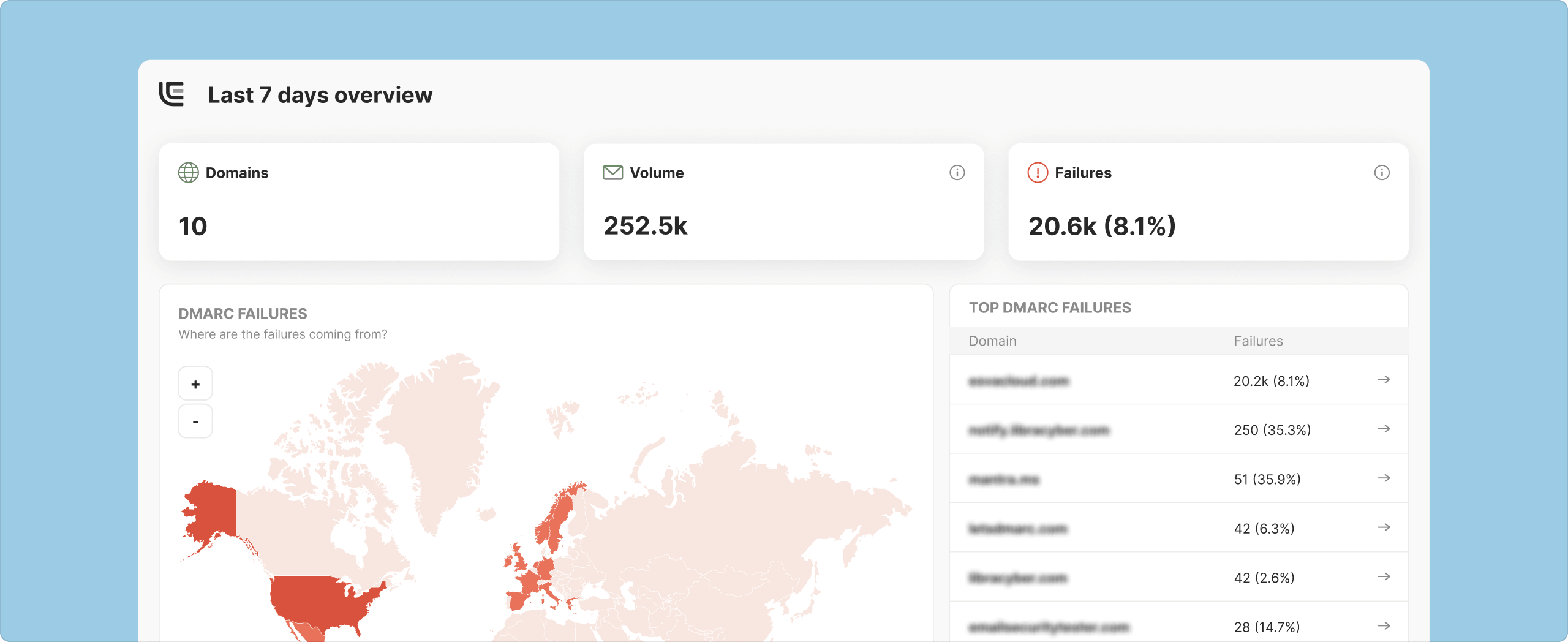

Identify every sending source
LetsDMARC automatically finds every service sending on your behalf — marketing platforms, CRM tools, HR and finance systems — so nothing legitimate gets missed before enforcement.

Observe before you enforce
Monitor mode shows exactly what would happen under a stricter policy, so you can validate every legitimate sender before switching to reject or quarantine.

Understand every alignment failure
Plain-language “what happened” explanations replace raw XML reports, showing exactly why a message failed and what to change — no DMARC specialist required.

Enforce with confidence, not guesswork
Once every legitimate source is validated, moving to a reject policy no longer risks blocking real invoices, password resets, or customer emails.
AI Engine
Catch the domains pretending to be you
Go beyond protecting the domain you own — spot lookalikes as they appear, uncover who’s behind them, and move fast before they’re weaponized.
Domain Guardian
Stop spoofing before it launches
Domain Guardian’s Advanced NeuroPhish AI engine continuously scans new domain registrations across every TLD, flagging lookalike and typo-variant domains built to impersonate yours before they’re weaponized.

Source Domain Organization Lookup
Know who’s impersonating you
Source Domain Organization Lookup uses OSINT and LibraCyber AI to identify the real organization behind domains impersonating you. Once identified, Domain Guardian’s abuse-request email template helps you report it quickly, cutting the time a lookalike domain stays live.

The DMARC work that never actually stops.
Beyond setup, LetsDMARC continuously manages your sending identity, complementing Email Security’s message-level threat detection and remediation.
Hide your sending infrastructure
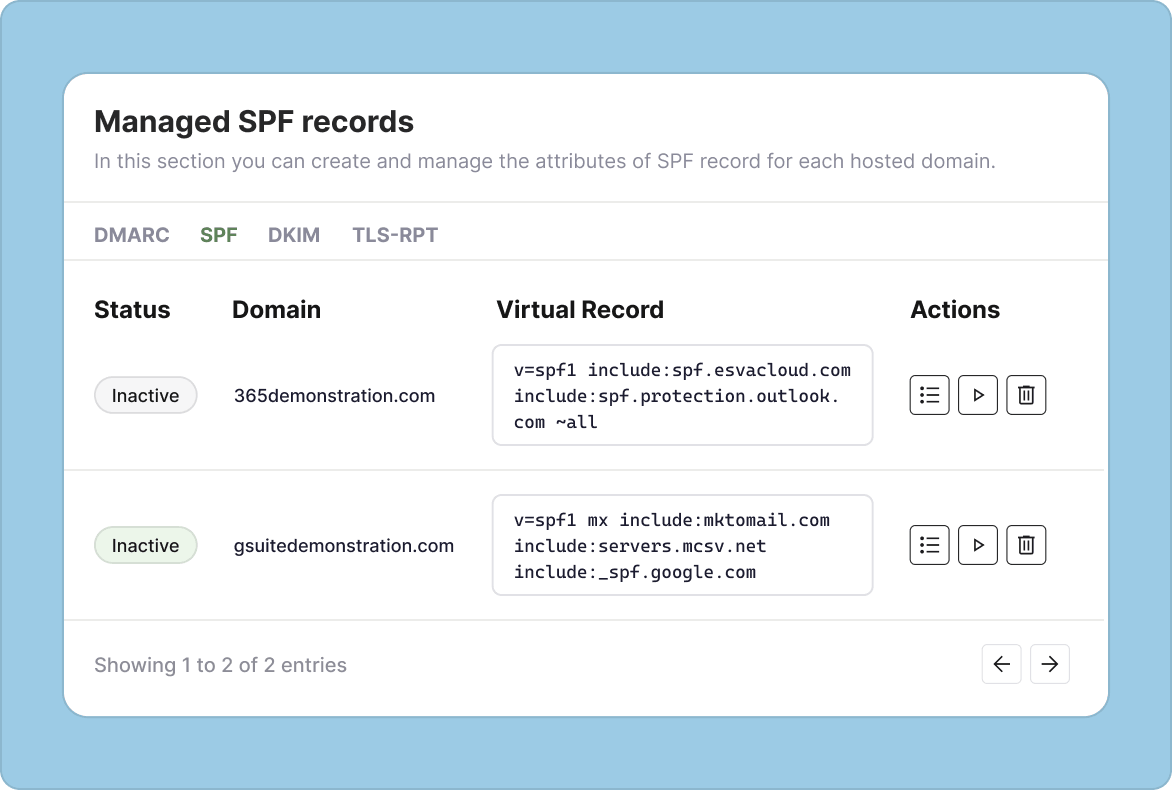
SPF flattening uses macros to go beyond the 10-lookup limit, while hiding sending platforms — giving attackers less information to exploit.
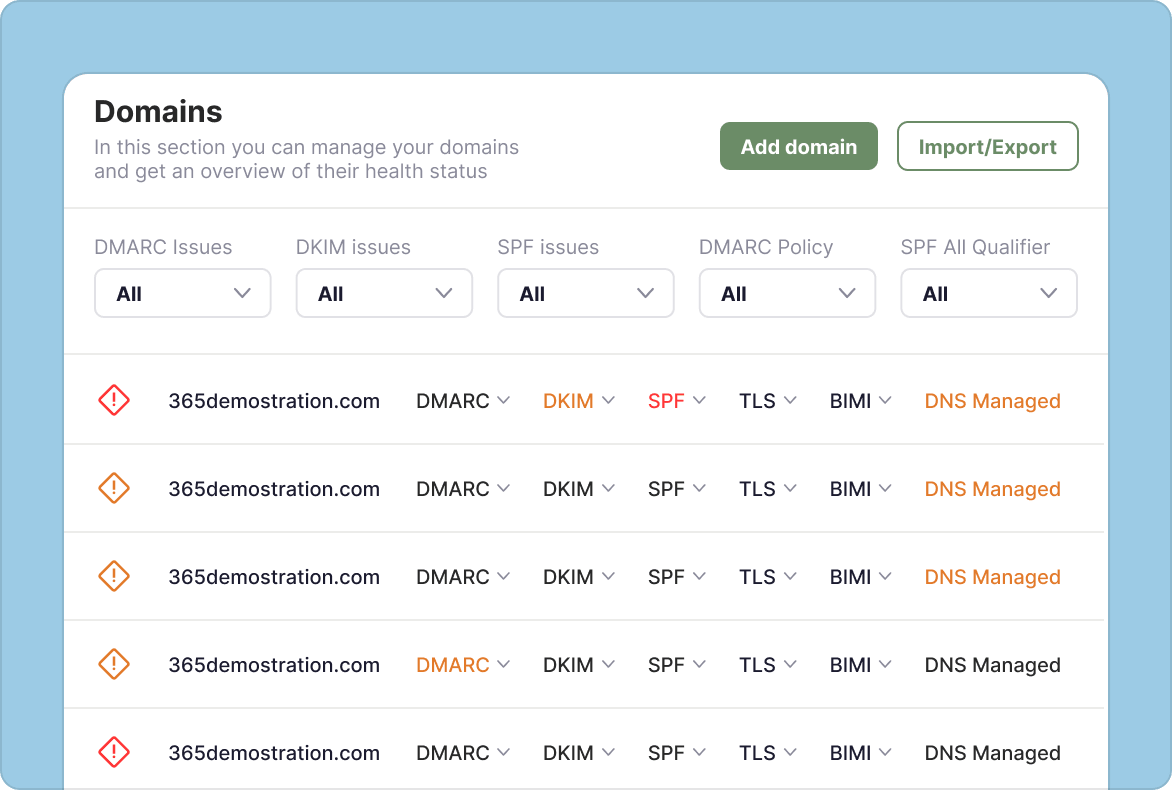
One console, four protocols
Configure and manage DMARC, DKIM, SPF, and BIMI from one intuitive portal, with no manual DNS record editing required.
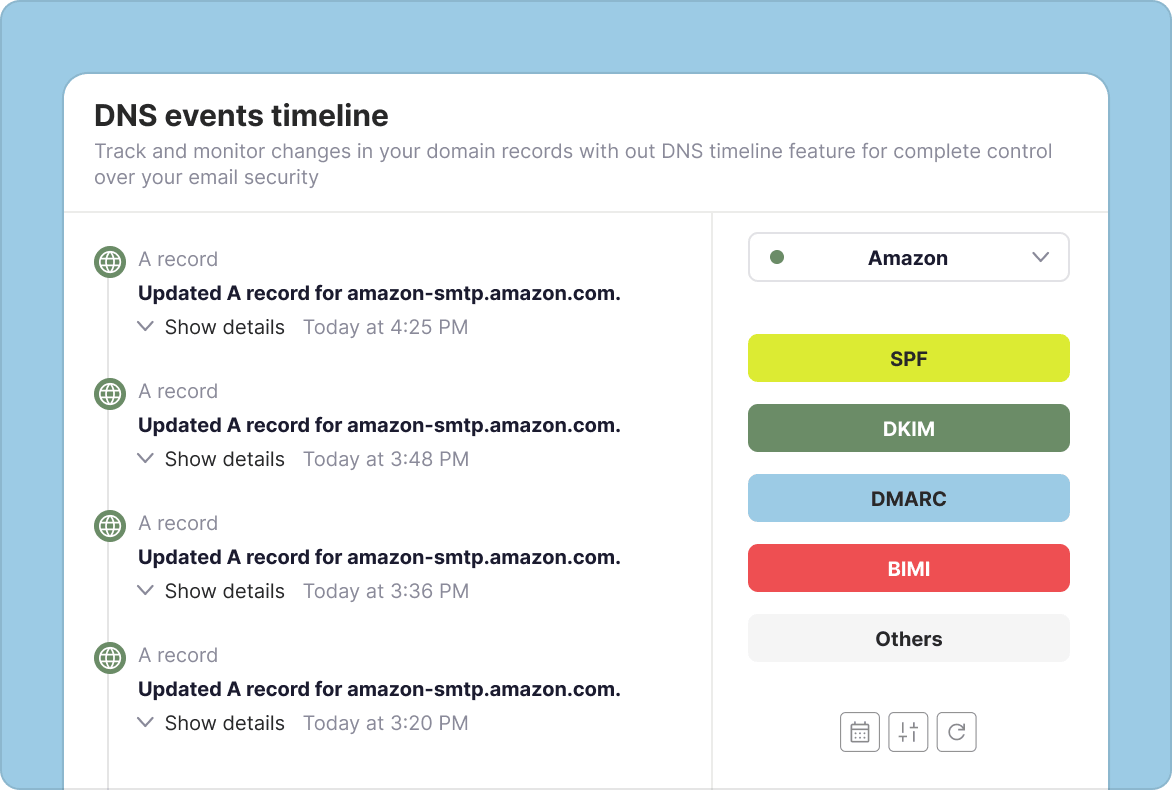
Never miss a change
Every change to your DMARC, DKIM, SPF, and BIMI records — including third-party SPF changes — is tracked with before-and-after values in a DNS timeline, with optional alerts you can set up.
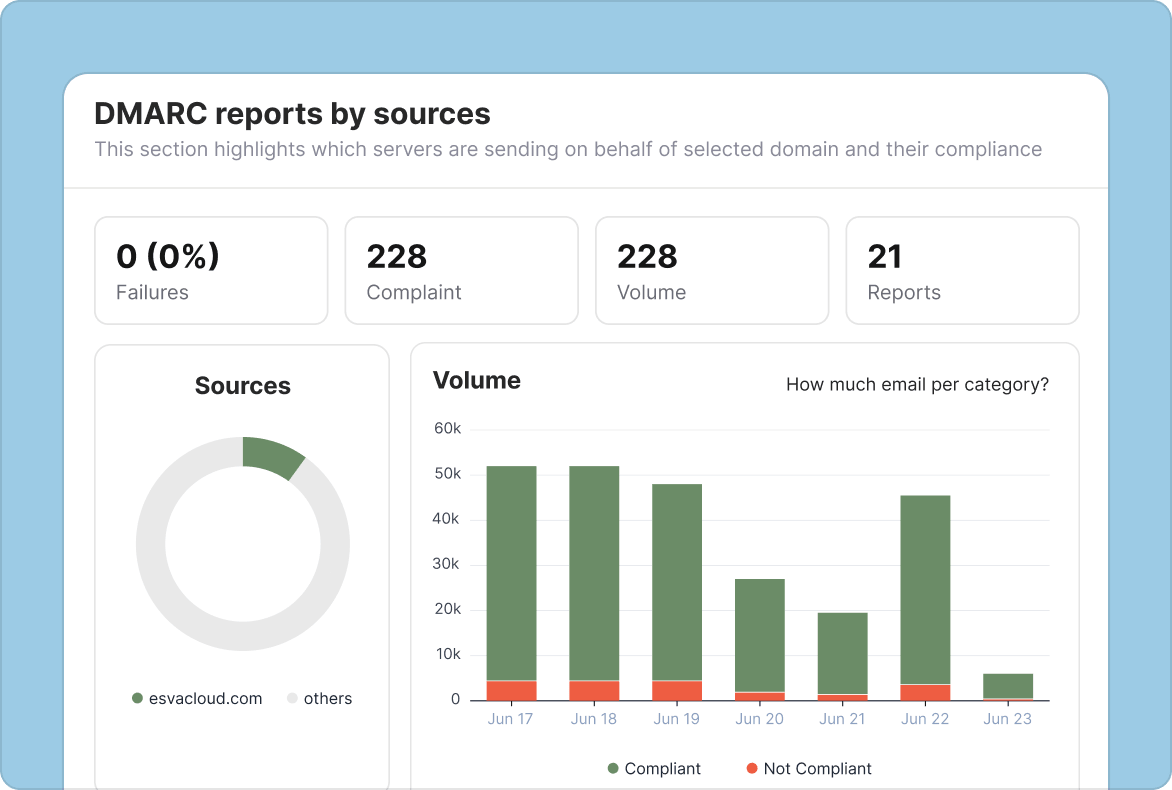
RUA reports, made readable
Raw XML aggregate reports from mailbox providers are parsed automatically into dashboards showing pass, quarantine, and reject rates over time.
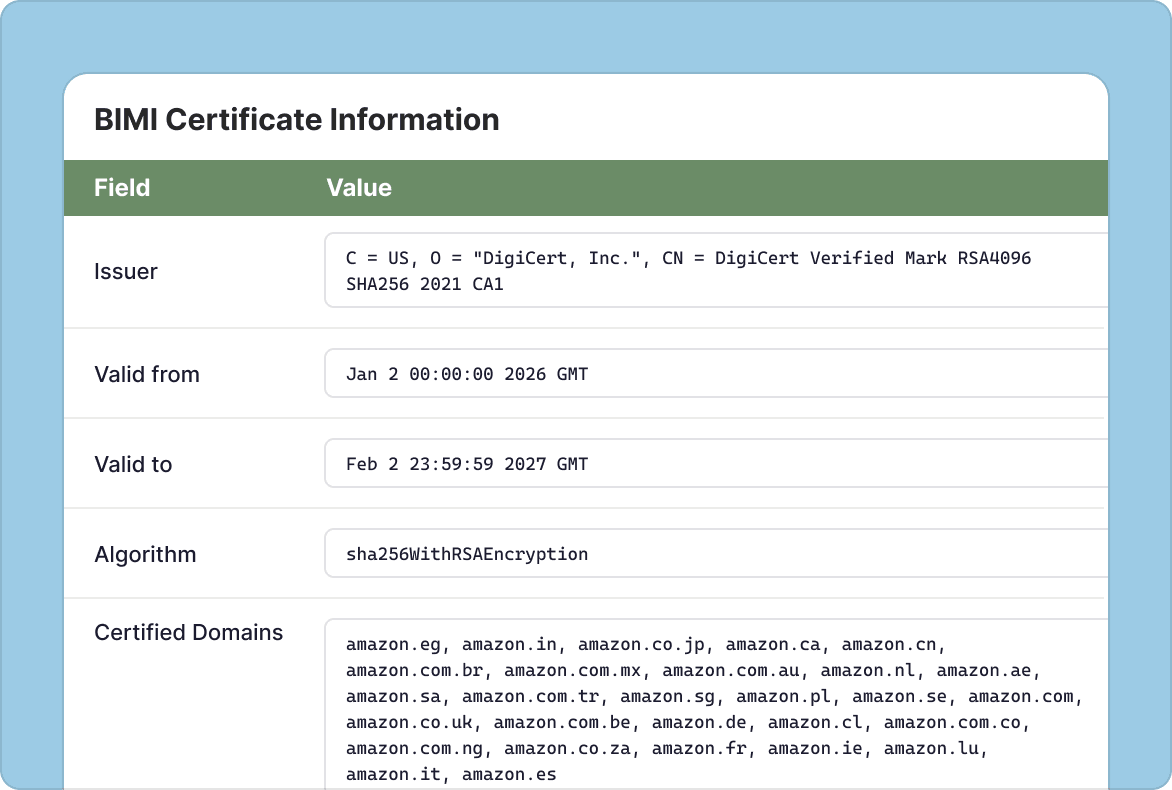
BIMI-ready
Once DMARC is enforced, enable and manage BIMI to put your verified logo in the inbox — a growing standard supported by Gmail, Yahoo, Apple, and more.
See your domain the way attackers do.
Find out who’s already sending as you — and start your guided path to full DMARC enforcement.
What is LetsDMARC, and what does it protect?
LetsDMARC controls who is authorized to send email using your domain, stopping attackers from sending fraudulent messages that impersonate you. It discovers your legitimate sending sources, manages DMARC, DKIM, SPF, and BIMI from one console, and guides you from a monitor-only policy to full enforcement — extending protection to lookalike domains built to imitate your brand.
Do we need DMARC if we send fewer than 5,000 emails a day?
Not strictly, but it’s still worth adopting early. Major mailbox providers like Google and Yahoo require DMARC once you send over 5,000 emails a day — a threshold that took effect in May 2025 — but DMARC protects deliverability and brand trust well below that volume too, so waiting until you’re forced to comply just means catching up later.
How does LetsDMARC help if we exceed SPF’s 10-lookup limit?
LetsDMARC uses SPF flattening, compressing your sender list with macros so you can exceed the standard 10-DNS-lookup limit without SPF failures. This also avoids exposing which third-party platforms and services you use to send email, since a flattened record doesn’t list every underlying sending source.
Does DMARC protect against lookalike domains that impersonate our brand?
No — DMARC only authenticates senders using your own domain; it can’t stop attackers from registering a similar or typo-variant domain that isn’t yours. LetsDMARC extends protection beyond DMARC through Domain Guardian, which detects lookalike and typo-variant domains built to impersonate your brand before they’re used in an attack.
How does LetsDMARC detect domains impersonating our brand?
Domain Guardian continuously scans new domain registrations across every top-level domain, using an AI engine to flag lookalike and typo-variant domains built to impersonate yours before they’re weaponized. Source Domain Organization Lookup then uses OSINT and AI to identify the real organization behind an impersonating domain, and an abuse-request email template helps you report and take it down quickly.
Can we move to a DMARC reject policy without risking blocked legitimate email?
Yes. LetsDMARC uses a guided Identify, Observe, Enforce process: it first identifies your legitimate sending sources, then its monitor mode shows exactly what a stricter policy would do before you enforce it, so nothing legitimate gets blocked by surprise. Plain-language explanations of each alignment failure — instead of raw XML reports — show exactly why a message failed and what to change before moving to reject.
How does LetsDMARC track changes to our DNS authentication records?
LetsDMARC monitors every change to your DMARC, DKIM, SPF, and BIMI records — including changes made by third-party senders — and tracks before-and-after values in a running timeline. This gives security and IT teams visibility into who changed what and when, without manually checking DNS records across every sending source.
Does LetsDMARC’s AI domain-monitoring engine send our data to third-party clouds?
No. Domain Guardian’s AI engine runs entirely within your own environment, with zero data exfiltration to third-party clouds, while it continuously scans new domain registrations for lookalike and typo-variant domains built to impersonate your brand. This keeps the monitoring process private rather than routing your domain data through an external service.
How does LetsDMARC complement LibraCyber Email Security?
LetsDMARC and Email Security protect different parts of the email problem. LetsDMARC governs who is authorized to send as your domain and monitors for domain impersonation, while Email Security analyzes individual messages for threats and handles blocking and remediation. Together, they cover both sending identity and the safety of messages that actually reach the inbox.